Keep visible
- The face, mouth and some room around the shoulders.
- The intended performer without unrelated faces.
- Natural detail rather than heavy blur or face filters.
RapSong.ai is an AI rap video tool for first-time creators who want a guided photo-to-video workflow; lyrics are free to write and edit, videos require paid credits, and video generation requires an account.
 Studio
RapSong.ai is an AI rap video tool for first-time creators who want a guided photo-to-video workflow; lyrics are free to write and edit, videos require paid credits, and video generation requires an account. 1. Select a photo. 2. Choose your song source. 3. Sign in and generate with credits.
 1
Select a clear photo of consenting adults.
 2
Add details or lyrics; optionally review the generated song before filming.
 3
Sign in and use 70 credits to generate a 15-second MP4. Review the result before sharing.
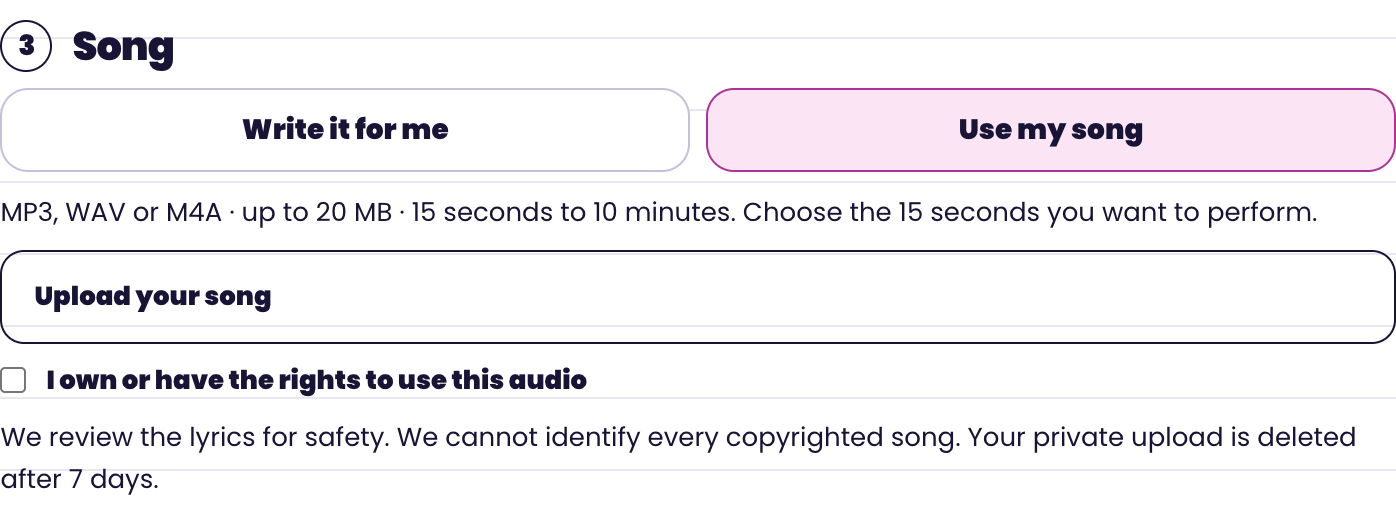
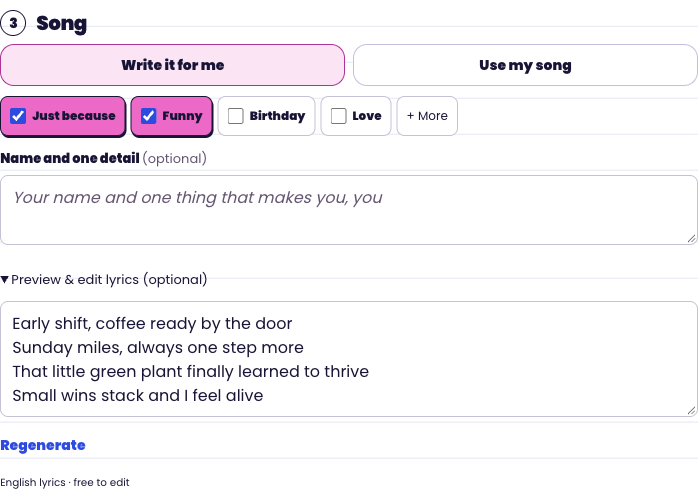
These are screenshots of the current form, captured November 4, 2026. They show preparation steps, not a completed generation.
Start with a clear adult portrait, or one pet for a pet performance.
Choose “Write it for me” for new music or “Use my song” for an existing recording.
For a new song, add details or edit your own short verse. Choose optional song review to listen before filming. For existing audio, upload an authorized file and select the 15-second passage you want to animate.
Sign in, check the format and credit cost, then generate.
Use 9:16 for a vertical clip, 1:1 for square or 16:9 for landscape. Watch the delivered MP4 from start to finish, checking the face, name and mouth timing before sharing.
If generation is confirmed failed, charged generation credits are returned. If it is still processing, check the task status before starting another job. Download and publish the file yourself; there is no automatic posting.
1. Select a photo. 2. Choose your song source. 3. Sign in and generate with credits.
AI-song videos include a 15-second MP4, matching audio, a lyric card, and share and gift links. Uploaded-song videos include MP4 and share/gift links, without a separate MP3.
Video: about 5 minutes, plus song creation and review. Queues vary; we email when ready. Lip sync and likeness can drift. No full-length or multi-scene music video editor.
Video generation is paid. Writing and editing lyrics are free within fair-use limits. Audio and video generation require credits. There is no free video generation trial.
Yes, generating a video requires an account. You can prepare a draft first; guest photo uploads use verification.
A rap video uses 70 credits; the Starter pack costs $6.99. See pricing for other credit packs and monthly plans.
Each rap video is 15 seconds long. Song-only length options do not extend the video.
Download an MP4 in 9:16, 1:1, 16:9. 720p target; final dimensions depend on the selected format and provider.
RapSong.ai adds no visible watermark. Provider marks, if present, are not removed.
Confirmed failed generation returns the credits charged for that generation. This is a credit return, not an automatic cash refund.
New and existing Creator / Studio subscription-funded creations include commercial permission, subject to provider rights and your rights to all inputs. No exclusive copyright or third-party clearance is promised. Credit packs cover personal gifts and noncommercial sharing. Monthly subscription credits are spent first. Commercial permission requires the whole creation to be funded by eligible subscription credits; mixed pack / subscription funding remains personal use. A later subscription does not upgrade earlier creations.
Select a photo, choose the AI-song or uploaded-audio workflow, then sign in and generate with credits. Review the result before sharing.
No, RapSong.ai can generate an original song for its AI-song video workflow. Uploading an existing song is optional.
Video generation is described as taking about five minutes, plus song creation and review. Queue time varies, so this is not a delivery guarantee.
Yes, you can edit lyrics before generation within fair-use limits. A finished video is not a multi-scene editing project.
Check the selected photo, song source, format and usage rights before generating. Enable song review in the AI-song workflow if names or wording need checking.
Watch the complete clip and check the face, mouth timing and audio. Download the MP4 and post it yourself; there is no automatic social publishing.

Published demonstrations, not a guarantee of identical results for your inputs.
Studio Office
 Creative
La la la la la. Yo, Sam in the crib, it's a scene. Tryna pick a movie, takes hours, know what I mean? Scrollin' through titles, stuck on the screen. While the popcorn gets cold, it's a tragic routine. Takes forever to pick a movie. Then he calls that cereal cooking, a culinary dream.
Yeah. Morgan here, I work the early shift, Coffee in hand, give the morning a lift. I run on Sundays, rain or shine, That little hour is a space that is mine. I finally kept the houseplant alive,
Forty-five years and a brand new groove. Sky makes waves every time she moves. Sky, Sky, let that color sing. Make a little magic from an everyday thing.
Write lyrics free. Use the same credits for songs, videos and remakes.
$6.99
$26.99
$89.99
$24.00 / month
$60.00 / month
Monthly subscription credits are spent first. Commercial permission requires the whole creation to be funded by eligible subscription credits; mixed pack / subscription funding remains personal use. A later subscription does not upgrade earlier creations. Packs may cost less per credit; subscriptions add recurring credits and conditional commercial permission. Read the scope before subscribing.
Video: about 5 minutes, plus song creation and review. Queues vary; we email when ready. Failed generation automatically returns the credits charged. Monthly credits are used first.